A few days ago, I sat down with a simple goal: publish more content.
Like many bloggers, I had a growing list of article ideas. I was thinking about SEO, content strategy, internal linking, and all the usual things people discuss when trying to grow a website.
But before writing the next article, I decided to do something different.
I stopped.
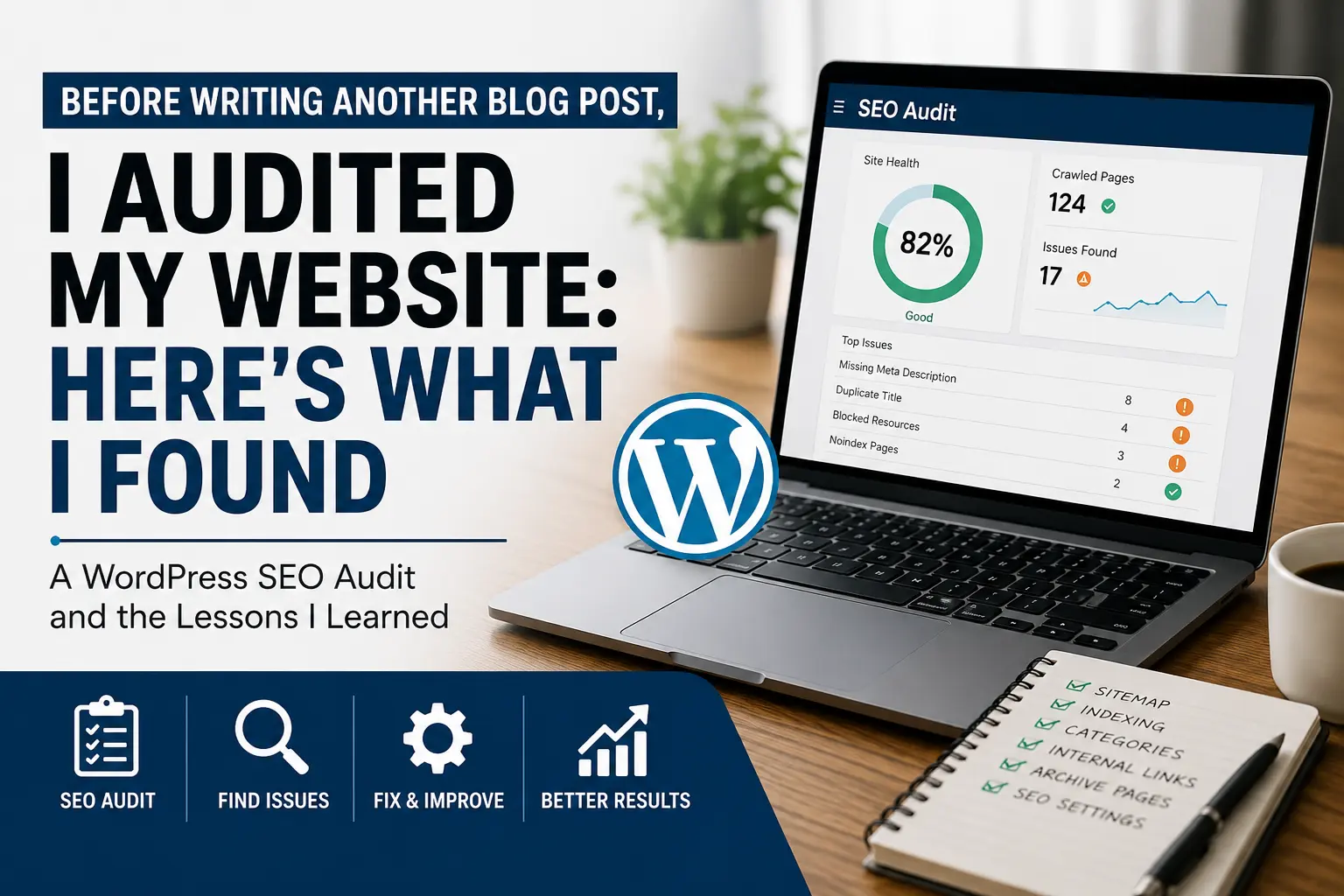
Instead of creating more content, I spent a day auditing the website itself.
What started as a quick review turned into a deep dive into WordPress settings, category pages, indexing issues, contact forms, sitemaps, archive pages, and website structure.
Some discoveries were expected.
Others completely changed the way I think about SEO.
This article is a summary of what I found, what I fixed, what I almost broke, and the lessons I learned along the way.
If you are a WordPress beginner, blogger, or digital marketer, you will probably recognize some of these mistakes because I made most of them myself.
Table of Contents
1. Why I Paused Content Creation and Audited My Website
2. Lesson 1: Sometimes the Biggest SEO Problem Is Not SEO
3. Lesson 2: I Didn’t Fully Understand My Homepage
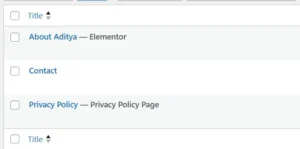
4. Lesson 3: Why Every Website Needs About, Contact, and Privacy Pages
5. Lesson 4: A Contact Form That Doesn’t Deliver Emails Is Useless
6. Lesson 5: What I Learned About XML Sitemaps and Search Console
7. Lesson 6: Category Pages Are More Valuable Than I Realized
8. Lesson 7: The “0 Posts” Problem Wasn’t Actually a Problem
9. Lesson 8: Why SEO Audit Reports Can Be Misleading
10. Lesson 9: Not Every Page Deserves to Be Indexed<br />11. Lesson 10: Internal Linking Is Easier to Ignore Than It Should Be
12. What This Cleanup Taught Me About SEO
13. Final Thoughts
Lesson 1: Sometimes the Biggest SEO Problem Is Not SEO
When people hear the word SEO, they immediately think about:
- Keywords
- Backlinks
- Meta descriptions
- Search rankings
I did too.
But the first thing I discovered had nothing to do with keywords.
The website contained pages that I wasn’t even using.
Some were created by the theme.
Others were demo pages.
There were pages for galleries, buttons, tabs, accordions, formatting examples, social links, and various design elements.
At first, I was afraid to delete them.
What if removing them broke the website?
The homepage stopped working?
The theme depended on them?
This is where many beginners get stuck.
They leave unnecessary pages untouched because they are afraid of breaking something.
The lesson I learned was simple:
Unused pages create confusion.
Every page on a website should have a purpose.
If a page serves no purpose and isn’t being used, it deserves investigation.
Not immediate deletion.
Investigation.
After checking what was actually powering the website, I realized most of those pages were leftover demo content.
Removing them simplified the website significantly.
The result wasn’t better SEO.
The result was clarity.
And clarity is often the first step toward better SEO.
Lesson 2: I Didn’t Fully Understand My Homepage
This was probably the most embarrassing discovery.
For a moment, I wasn’t entirely sure what was powering my homepage.
I had a page called “Home”, a homepage visible to visitors, theme builder templates, WordPress settings.
And I wasn’t completely sure how they all connected.
At one point I even wondered:
“If I delete this page, will the entire homepage disappear?”
That question forced me to investigate.
What I discovered is something many WordPress users eventually learn.
The page called “Home” is not always the homepage.
Sometimes WordPress displays:
- A static page
- Latest blog posts
- A theme builder template
- A custom archive layout
The only way to know is to verify the configuration.
This experience taught me an important lesson:
Never assume you understand how your website is built.
Verify it.
SEO problems are often caused by assumptions.
Lesson 3: About, Contact, and Privacy Pages Matter More Than Most People Think
For a long time I treated these pages as administrative tasks.
Something to complete later.
Something less important than writing content.
I was wrong.
When a visitor lands on a website, they immediately ask questions:
Who created this?
Can I contact them?
Is this website legitimate?
How does it handle visitor data?
About pages answer trust questions.
Contact pages answer accessibility questions.
Privacy policies answer compliance questions.
Search engines may not rank a website solely because it has these pages.
But visitors trust websites that have them.
And trust affects everything.
Creating these pages was one of the simplest improvements I made.
Lesson 4: A Contact Form That Doesn’t Deliver Emails Is Useless
This lesson seems obvious.
Yet many websites fail here.
A contact form can look perfect.
The design can be beautiful.
The page can be published.
The button can work.
And still no emails arrive.
After setting up the contact page, I tested the form.
Not visually.
Functionally.
I submitted a test message.
Then I checked whether the email actually reached the inbox.
Thankfully it did.
That small verification step matters.
Because a contact page should not simply exist.
It should work.
Many website owners never test their own forms.
Lesson 5: Sitemap Problems Can Create Unnecessary Confusion
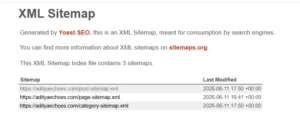
At one stage, the sitemap submission process appeared to fail.
Immediately I assumed something was wrong.
Maybe the sitemap was broken / WordPress wasn’t generating it correctly / Search engines couldn’t discover the content.
After investigating further, the sitemap itself was functioning perfectly.
The issue was temporary communication between the website and the reporting tools.
This taught me another valuable lesson.
Before fixing a problem, confirm that the problem actually exists.
Many SEO tools report warnings.
Not every warning is a crisis.
Lesson 6: Category Pages Are More Valuable Than I Realized
For a moment I considered replacing category archives with manually created pages.
It seemed cleaner.
It seemed easier.
Then I stopped and asked a simple question:
What happens when I publish article number 20?
Or article number 50?
Or article number 100?
A manually maintained page becomes difficult to manage.
A category archive updates itself automatically.
That realization completely changed my perspective.
A good category page is not just an archive.
It is a scalable content hub.
Lesson 7: The “0 Posts” Problem Wasn’t Actually
a Problem
One category page displayed “0 posts.”
Naturally, I assumed something was broken.
I checked categories, posts, assignments
Everything appeared correct.
Eventually I discovered something interesting.
The category page displayed the posts correctly.
WordPress counted the posts correctly.
The homepage counted the posts correctly.
Only the visual counter in the theme was wrong.
This was a powerful reminder.
Not every issue displayed on the screen is a real issue.
Sometimes the presentation layer is wrong while the underlying data is perfectly fine.
Lesson 8: Audit Reports Can Be Misleading
One audit reported dozens of missing meta descriptions.
At first glance it looked alarming.
Thirty-plus pages missing descriptions sounds serious.
Then I examined the URLs.
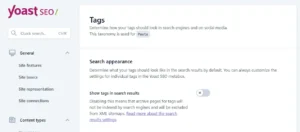
Most were tag archives.
Some were author archives.
Very few were important pages.
The lesson?
Never react to numbers.
Investigate the details.
A report showing 30 problems may actually contain only two real problems.
Lesson 9: Not Every Page Deserves to Be Indexed
This was one of the biggest SEO lessons of the entire process.
Many beginners assume:
More indexed pages = better SEO.
Not necessarily.
A website can generate:
- Tag pages
- Author archives
- Search pages
- Date archives
- Various thin content pages
Indexing everything does not automatically create value.
Sometimes fewer indexed pages create a stronger website.
By reducing unnecessary archive pages, the website became more focused.
Lesson 10: Internal Linking Is Easier to Ignore Than It
Should Be
Publishing content feels productive.
Adding internal links feels boring.
Unfortunately, internal linking is one of the most powerful things a small website can do.
Every new article should help visitors discover another relevant article.
Every article should contribute to a larger topic cluster.
Internal links help users.
They help search engines.
And they help content work together instead of existing in isolation.
What I Learned After the Cleanup
The biggest surprise from this entire process was discovering that most of the important improvements had nothing to do with advanced SEO.
There was no complicated technical optimization.
No secret ranking trick.
No revolutionary growth hack.
Instead, the improvements came from:
- Understanding the website structure
- Removing confusion
- Fixing trust signals
- Improving discoverability
- Simplifying indexing
- Creating better organization
Only after those foundations were in place did content creation start to feel meaningful.
Final Thoughts
At the start of this process, I thought I needed more articles.
By the end, I realized I first needed a cleaner website.
The irony is that none of these changes dramatically increased traffic overnight.
That was never the goal.
The goal was to create a stronger foundation.
Because SEO is not just about helping search engines understand your website.
It is about helping yourself understand your website.
And once that happens, every future article has a better chance of succeeding.