Introduction
Most advertisers spend countless hours improving headlines, adjusting bids, and refining audience targeting, yet many continue using outdated product images. In reality, shoppers often judge a product before reading a single word. A compelling image builds trust, attracts attention, and influences buying decisions within seconds. Whether you’re running Google Shopping campaigns, Search Ads, or selling on marketplaces, your product image is often your first salesperson.
Why Product Images Influence Buying Decisions
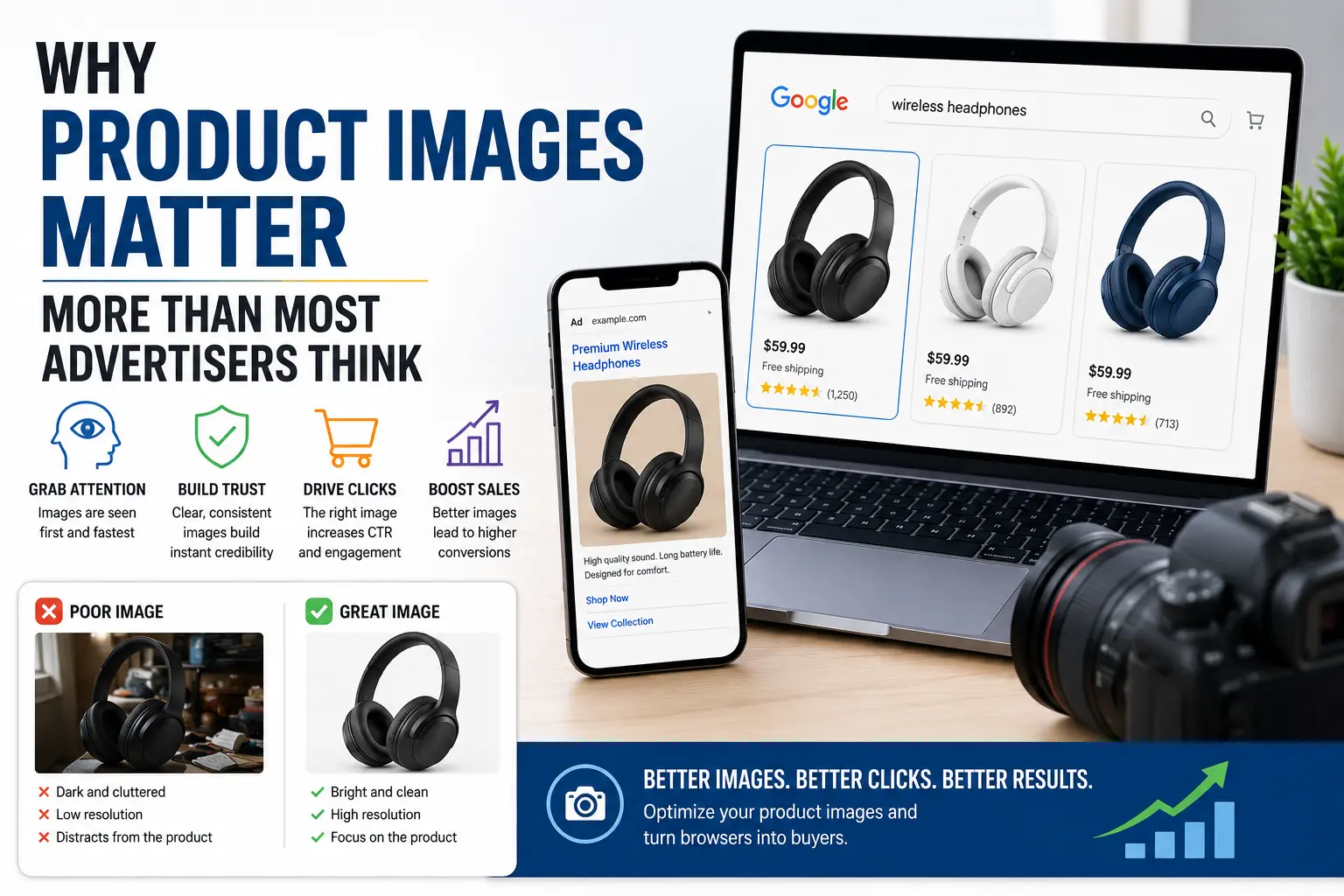
People notice visuals before text. Clear, professional images create confidence, while poor-quality images raise doubts. Effective product photos don’t just show an item—they help customers imagine owning and using it. Consistent lighting, clean backgrounds, and realistic lifestyle photos all contribute to higher trust and stronger click-through rates.
A Real-World Example
Imagine two sellers offering the same stainless-steel water bottle on Google Shopping. Seller A uses a dark, low-resolution manufacturer image. Seller B uses a bright, high-resolution image with multiple angles and a lifestyle shot showing the bottle in use. Even with identical prices, Seller B is more likely to attract the click because the image communicates quality before shoppers compare features.
Good vs Poor Product Images
| Poor Product Image | High-Converting Product Image |
| Low resolution | High resolution |
| Busy background | Clean background |
| Single angle | Multiple angles |
| No context | Lifestyle image |
| Poor lighting | Bright, consistent lighting |
| Manufacturer stock photo | Original brand photography |
Psychology Behind High-Converting Images
Customers subconsciously associate image quality with product quality. Four principles matter most: clarity builds credibility, context sells outcomes, consistency strengthens brand trust, and contrast helps products stand out in crowded search results.
Google Shopping and Search Ads Essentials
Google prefers high-quality images without promotional text, borders, watermarks, or placeholders. Use clean backgrounds, upload multiple aspect ratios where supported, and ensure the image matches the advertised product. Approval is only the first step—the image must also persuade shoppers to click.
Actionable Product Image Checklist
- Use high-resolution images
- Keep backgrounds clean
- Show multiple angles
- Include one lifestyle image
- Display product scale
- Maintain consistent lighting
- Compress images without losing quality
- Test thumbnails on mobile
- Avoid text overlays
- Review performance regularly
Common Mistakes to Avoid
Avoid relying only on manufacturer stock photos, inconsistent lighting, poor cropping, cluttered backgrounds, tiny thumbnails, excessive promotional graphics, and never testing different image variations.
Optimize for Mobile
Most shopping happens on smartphones, so design images for thumbnail viewing. Make the product the focal point, use strong contrast, and test images on actual mobile devices before launching campaigns.
Treat Images Like an Ongoing Experiment
Measure click-through rate, conversion rate, and cost per click before changing an image. Test one variable at a time—such as background, angle, or lighting—and collect enough data before deciding on a winner.
Conclusion
Product images influence trust, clicks, and conversions long before shoppers read your headline or price. Businesses that continuously improve their visuals, test new ideas, and optimize for every platform gain a measurable competitive advantage. Investing in authentic, high-quality product images is one of the simplest ways to improve advertising performance and increase sales.