If you have ever uploaded a product to a WooCommerce website and wondered, “What exactly should I do to optimize this page for Google?” then this guide is for you.
Many beginners either do too little SEO or spend hours on activities that provide little value. The goal of product page SEO is not to impress search engines with technical jargon. It is to help search engines understand your product while making it easy for customers to find and purchase it.
This guide focuses on practical actions that matter. If you follow these steps for every product page, you will have covered most of the essential on-page SEO work without wasting time on redundant tasks.
What Is On-Page SEO for a Product Page?
On-page SEO refers to all the optimizations you make directly on a product page to help search engines understand the product and rank it for relevant searches.
For a WooCommerce product page, this includes:
- Product title
- URL structure
- Meta title
- Meta description
- Product description
- Product images
- Heading structure
- FAQs
- Internal links
- Product schema
- Page speed
- Mobile usability
Think of on-page SEO as preparing your product page so both Google and potential customers can easily understand what you are selling.
Step 1: Understand Search Intent Before Choosing Keywords
One of the biggest mistakes beginners make is choosing keywords before understanding what people are actually looking for.
Ask yourself:
- Is the user looking to buy?
- Is the user comparing products?
- Is the user seeking information?
- Is the user looking for pricing?
For example:
Searches like “best wireless headphones” suggest research, “wireless headphones price” indicates comparison, and “buy wireless headphones online” shows purchase intent.ent.
Before optimizing anything else, understand why someone would search for your product.
Step 2: Identify a Primary Keyword
Every product page should focus on one primary keyword.
Examples:
- Organic Honey
- Stainless Steel Water Bottle
- Herbal Shampoo
- Cotton Yoga Mat
The primary keyword should accurately describe the product.
You can discover keywords using:
- Google Search suggestions
- Google Keyword Planner
- Ahrefs
- SEMrush
- Competitor analysis
Avoid targeting multiple unrelated keywords on the same product page.
A single product page should have one primary keyword and a few closely related variations.
Step 3: Create an SEO-Friendly URL
WooCommerce automatically generates URLs based on product names, but always review them before publishing.
Good URL:
example.com/product/herbal-shampoo
Bad URL:
example.com/product/item-12345-new-product-final
Best practices:
- Keep URLs short
- Use hyphens instead of underscores
- Include the primary keyword
- Remove unnecessary words
- Avoid dates and random numbers
A clean URL helps both users and search engines understand the page.
Step 4: Write a Clear Product Title
The product title is usually the H1 heading on the page.
It should clearly describe the product.
Good example:
Premium Stainless Steel Water Bottle – 1 Litre
Poor example:
Amazing Product That Everyone Loves
The title should naturally include the primary keyword.
Do not stuff keywords repeatedly.
Focus on clarity first.
Step 5: Optimize the SEO Title
The product title and SEO title do not always need to be identical.
The SEO title appears in Google’s search results.
A good SEO title usually contains:
- Primary keyword
- Key benefit
- Brand name (optional)
Example:
Herbal Shampoo for Healthy Hair | Brand Name
Keep the SEO title approximately 50–60 characters long.
The goal is to encourage clicks while remaining relevant.
Step 6: Write a Meta Description That Encourages Clicks
The meta description is not a direct ranking factor, but it significantly affects click-through rates.
A good meta description should:
- Explain the product
- Include the primary keyword naturally
- Mention benefits
- Encourage action
Example:
Discover a nourishing herbal shampoo made with natural ingredients. Suitable for daily use and designed to support healthy-looking hair.
- Aim for approximately 140–160 characters.
- Avoid keyword stuffing.
- Write for humans first.
Step 7: Create a Useful Product Description
This is where many WooCommerce stores fail.
Manufacturers often provide generic descriptions that hundreds of websites use.
Google prefers original content.
A strong product description should answer:
- What is the product?
- Who is it for?
- What problem does it solve?
- What are its key features?
- How should it be used?
- Why should someone choose it?
A simple structure:
- Introduction
- Features
- Benefits
- Usage instructions
- Additional details
- Frequently asked questions
Avoid copying content from suppliers or competitors.
Unique content gives your page a better chance of ranking.
Step 8: Use Heading Tags Properly
A well-structured page is easier for search engines to understand.
Recommended structure:
- H1 – Product Name
- H2 – Product Description
- H2 – Benefits
- H2 – Ingredients or Specifications
- H2 – FAQs
- H3 – Supporting sub-sections
Do not use headings simply to make text look larger.
Use them to organize information logically.
Step 9: Optimize Product Images
Images play an important role in product SEO.
Before uploading:
- Resize images appropriately
- Compress images
- Use WebP format whenever possible
File name example:
herbal-shampoo-500ml.webp
Not:
IMG_84729.webp
Writing Alt Text: Alt text should describe the image accurately.
Good example:
Front view of herbal shampoo bottle with natural ingredients
Bad example:
Best herbal shampoo buy herbal shampoo online herbal shampoo price
Alt text is meant to describe the image, not repeat keywords excessively.
Writing Image Titles
Image titles can be slightly shorter.
Example:
Herbal Shampoo Bottle
Writing Image Descriptions
Describe the image naturally and explain what it shows.
Keep descriptions useful and relevant.
Step 10: Add Product FAQs
FAQs help users and search engines.
Examples:
How often should this product be used?
What are the main ingredients?
Is it suitable for sensitive skin?
How should it be stored?
Answer questions genuinely. Do not create FAQs solely to insert keywords. Useful FAQs improve user experience and can support search visibility.
Step 11: Add Internal Links
Internal linking is one of the most overlooked SEO opportunities.
Link the product to:
- Related products
- Category pages
- Relevant blog posts
- Buying guides
Example:
A shampoo product can link to:
- Hair care category page
- Hair care guide blog
- Conditioner product page
Internal links help search engines discover pages and understand relationships between them.
Step 12: Implement Product Schema
Schema markup helps search engines understand product information.
WooCommerce generally generates basic product schema automatically.
Schema can help display:
- Product name
- Price
- Availability
- Ratings
- Reviews
Always verify your schema using Google’s Rich Results Test. Structured data improves how your listing appears in search results.
Step 13: Improve Page Speed
Slow pages hurt both user experience and SEO.
Common causes of poor performance:
- Large images
- Excessive plugins
- Poor hosting
- Heavy page builders
- Unoptimized scripts
Quick improvements:
- Use WebP images
- Enable caching
- Minify CSS and JavaScript
- Remove unnecessary plugins
- Use a content delivery network if needed
Check performance using Google PageSpeed Insights.
Focus especially on mobile performance.
Step 14: Check Mobile Experience
Most ecommerce traffic comes from mobile devices.
Review your product page on a phone.
Check:
- Image loading
- Button visibility
- Text readability
- Add-to-cart functionality
- Layout responsiveness
If customers struggle to use the page on mobile, rankings alone will not generate sales.
Step 15: Verify the Canonical URL
A canonical tag tells search engines which version of a page should be indexed.
For a product page, the canonical URL should usually point to the main product URL.
Example:
https://example.com/product/herbal-shampoo/
This helps prevent duplicate content issues. Many SEO plugins handle canonical tags automatically, but it is worth checking.
Step 16: Publish and Submit to Google
After publishing:
- Inspect the URL in Google Search Console
- Request indexing if necessary
- Verify that the page is crawlable
- Check for indexing errors
This step ensures Google discovers your product page quickly.
Common Mistakes Beginners Should Avoid
- Do not stuff keywords throughout the page.
- Do not copy manufacturer descriptions.
- Do not upload huge image files.
- Do not leave product pages with only one sentence of content.
- Do not ignore mobile usability.
- Do not create multiple pages targeting the same keyword.
- Do not forget internal linking.
- Do not rely entirely on SEO plugins to do the work for you.
- Plugins assist SEO; they do not replace SEO.
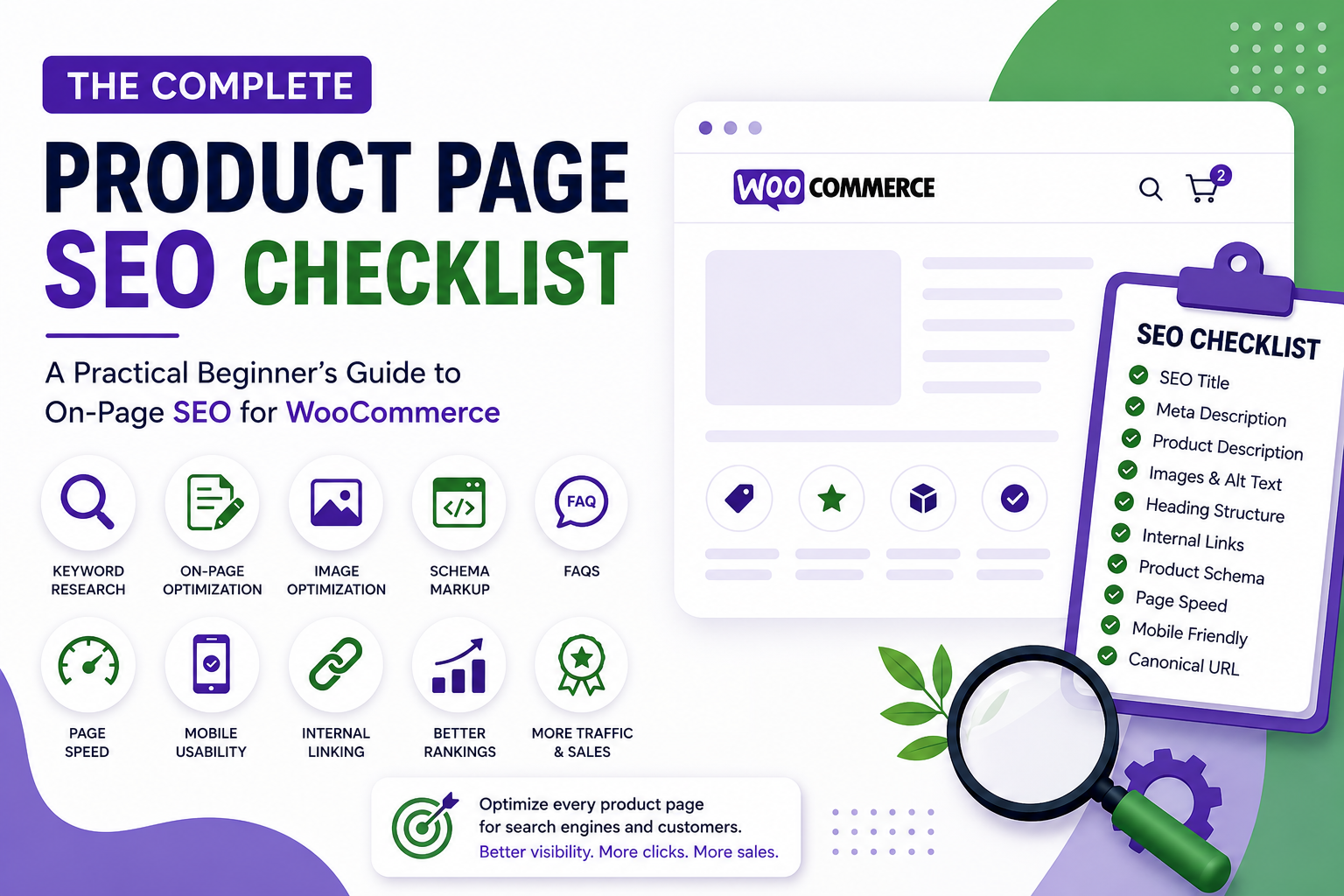
Final Product Page SEO Checklist
Before publishing any WooCommerce product page, verify the following:
- Primary keyword selected
- SEO-friendly URL created
- Product title optimized
- SEO title written
- Meta description written
- Unique product description added
- Proper heading structure used
- Images compressed and converted to WebP
- Image file names optimized
- Alt text added
- FAQs added
- Internal links added
- Product schema verified
- Mobile experience checked
- Page speed tested
- Canonical URL verified
- Page submitted in Google Search Console
If you consistently complete this checklist, you will have covered the majority of essential on-page SEO tasks for a WooCommerce product page. While SEO is a long-term process, a properly optimized product page gives search engines the information they need and provides customers with a better experience, which is exactly what good SEO is supposed to achieve.